******************************************************
Title: Paranoid II - The Revenge of TinFoil Hat
By: ninja@evilmutant.com < - > http://evilmutant.com
Date: 21.02.2002
******************************************************
I need my encryption
In these times
where privacy and security are one of the main topics surrounding Internet users and little bit advanced computer users, tools like Pretty Good Privacy and GNU
Privacy Guard can make your private files really private. By creating a set of keys - private and public ones, you can be assured that your files or e-mails will
be read by just the person(s) that those files were meant to. These key rings, should not be lost, because without them and the appropriate passphrase you
won't have access to any of the files encrypted for you by a colleague, friend or mistress. If you are a Windows user, I presume you are used to lot of partition formatting
and re-installing your favorite Microsoft Windows Something OS. By doing a backup of your files, Murphy's laws will make you forget to
backup your GPG keyrings, and you are left in the dark then. It is important to have your keys and passphrase backuped somewhere (keys on a floppy, cdrom, graffiti
in the notebook and passphrase in the lonely parts of your brain). Another important thing is that you must be able to encrypt or decrypt your files wherever
you are. By influence of already mentioned Murphy's laws this scenario will happen:
It is the third day of your business trip, and you got a few minutes to check your e-mail on a computer in your partner's network. You receive an important business
related e-mail and it is of course PGP'ed as it contains details about the latest part in the development of your company's flagship product, and this is highly
important to stay top secret. You are not on your desktop computer, so you don't have necessary PGP or GNU Privacy Guard installed, so what to do now?
TinFoil Hat saves the day
TinFoil Hat Linux is a small Linux distribution that can be easily booted from a floppy disk. As from my perspective its two best sides are that you have your
ring pair backuped on one place and that you can securely encrypt and decrypt files wherever you are located. TinFoil Hat Linux is created to be a little
paranoid place, so its other features surely go door-to-door with paranoia:
Anti KeyLogger feature: KeyLoggers are little software or hardware pests that are installed by people with malicious intent (for instance if your computer
has been compromised so a KeyLogger is installed to snoop all your keystrokes and send them to attacker's e-mail address) or by people within
the company infrastructure (that usually install hardware KeyLoggers to spy on what their employees spend their business time on). If you are on a non
secure computer and you really need to use encryption, TinFoil Hat Linux has a nifty feature that gives you the ability of entering your password in a
secure manner, so the hardware KeyLogger (TinFoil Hat Linux boots from a floppy and as it is a separate Operating System software keyloggers from
other OS on this computer, of course, cannot work) and the people that check its logs cannot get to your passphrase. TinFoil Hat Linux used a wrapper
for GPG, called gpggrid, that lets you use a video game style character entry system instead of typing in your passphrase. Don't think that it is something
heavily graphical, as it is just a simple grid where column and row characters are randomly being changed. This finishes up with the possible KeyLogger
getting aZ zT jP cJ aM hY instead of your passphrase "sensei" (just an example).
Anti Tempest feature: As seen from the readme.txt file attributed to this small Linux distribution - " TinFoil Hat Linux uses ctheme to manipulates the VGA console palette.
It's an amusing hack, and does make it harder to photograph the screen with a digital camera, but it won't complicate tempest observation. It's the best I could
figure out without having greyscale fonts." This feature is very interesting if you are into illuminati and big brother theories. What the heck - if your encrypted
file is worth 2 million dollars, you should be afraid of people looking your screen over your shoulder, agents using their machines to grab your monitor
signals, corporate spies using tele-kynesis powers and... and... well, you watched Enemy of the State, didn't you? BTW what to say about a software package that is
being described by its author with the following line - "An exercise in paranoia or a day to day tool". Also, the thing degrades in a positive anti-paranoia sense -
in order to complicate listening to radiation from the keyboard, TinFoil Hat Linux blinks encrypted messages in Morse code on the keyboard LEDs.
SomeOtherThings feature: This operating system doesn't support networking, all binaries are compiled staticly, and all non-root partitions are mounted
with no-execute permissions. All the files you work with are stored on an encrypted ramdisk which gets destroyed when you issue the final S (shutdown).
Installing the tin-head
There are lot of people that like manuals, rather then read from accompanying readme files or from the software related web sites, so this is a step-by-step guide.
First you should grab a copy of TinFoil Hat Linux that can be found on http://tinfoilhat.cultists.net. When you download the image, you should make a bootable
floppy out of it:
1) Linux users
Linux users can use a simple dd command.
---------------snip----------------------------
[bhz@localhost misc]$ dd if=tinfoil.img of=/dev/fd0
2880+0 records in
2880+0 records out
[bhz@localhost misc]$
---------------snip----------------------------
2) Windows users
Windows users can use RawWrite that can be downloaded from http://uranus.it.swin.edu.au/~jn/linux
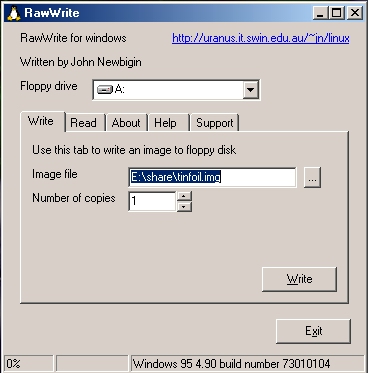
Figure 1.1 : Using rawrite under Windows for creating a boot disk
Now boot in your linux, mount the floppy and copy the contents of .gnupg directory in your home, to /gnupg directory on the floppy (/dev/fd0). If you wouldn't
like your GPG information being un-encrypted, you can type:
[bhz@localhost misc]$ tar -cvf - $HOME/.gnupg |gpg -co /mnt/floppy/ring.gpg
When you transfer mentioned files to your floppy (include public keys of people that you would like to correspond with), you should create an entropy.bin file
which will make GPG encryption not predictable:
[bhz@localhost misc]$ gpg --gen-random 2 512 > /mnt/floppy/entropy.bin
Now you are ready to go - floppy you created is a full working personal version of your GPG mini-box.
Using the tin-head
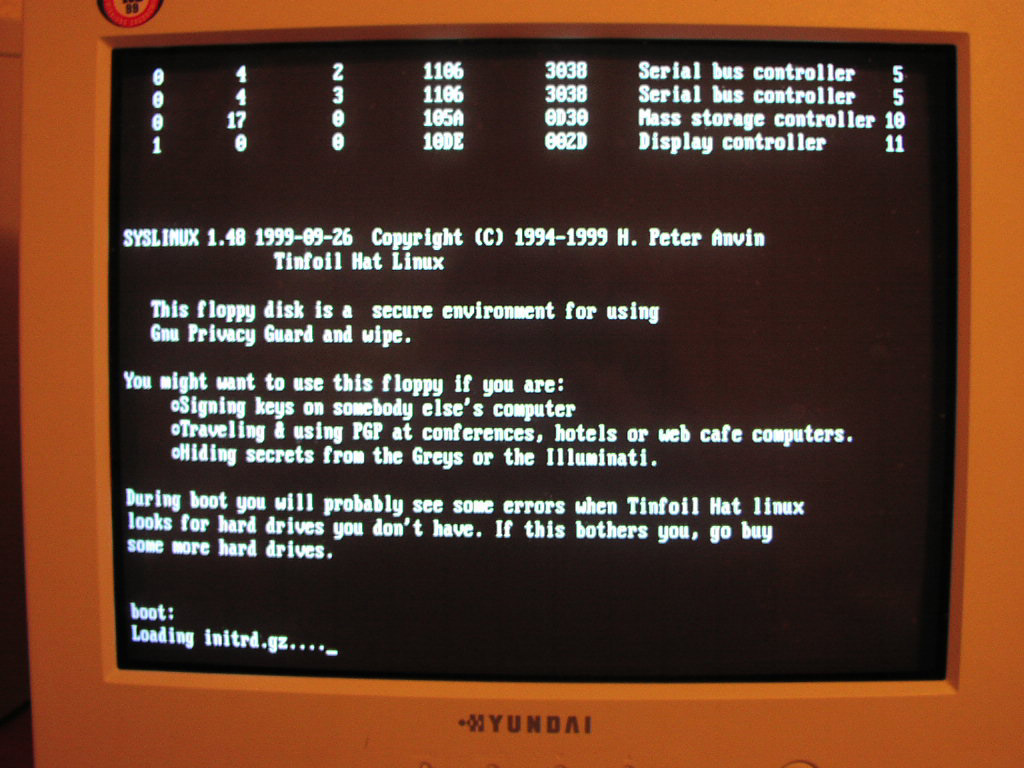
Figure 1.2 : TinFoil Hat Linux booting up
When you boot your TinFoil Hat Linux, you should enter "menu" command when it asks you to do it. After that, menu will who on your monitor and it looks
something like this:
------------------------------snip--------------------------------
0) turn 0n paran0id settings
m) read the Manual for GPG, wipe, THL
f) switch to a new Floppy disk
e) start a text Editor
p) use GPG with gpggrid secure Passphrase entry toolr
g) start using Gnu Privacyr
w) Wipe (erase) a floppy, hard disk or filer
s) Shutdown the computer (first backing up keys and entropy to floppy)
x) eXit to shell<
------------------------------snip--------------------------------
Let's just quickly inspect the menu options:
+ turn 0n paran0id settings
This will give you a possibility to use all the paranoid features of TinFoil Hat Linux I mentioned above. By entering 0, you will be presented with the
text captured on the image below (click on the image for full size that is easily readable).
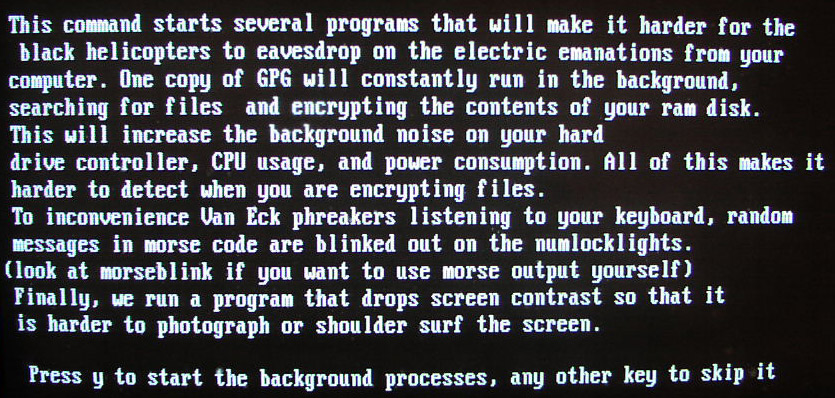
Figure 1.3 : entering the paranoid mode
After clicking yes, your Operating System becomes a paranoid box, witha grey screen that cannot be pictured with a digital camera (see example below).
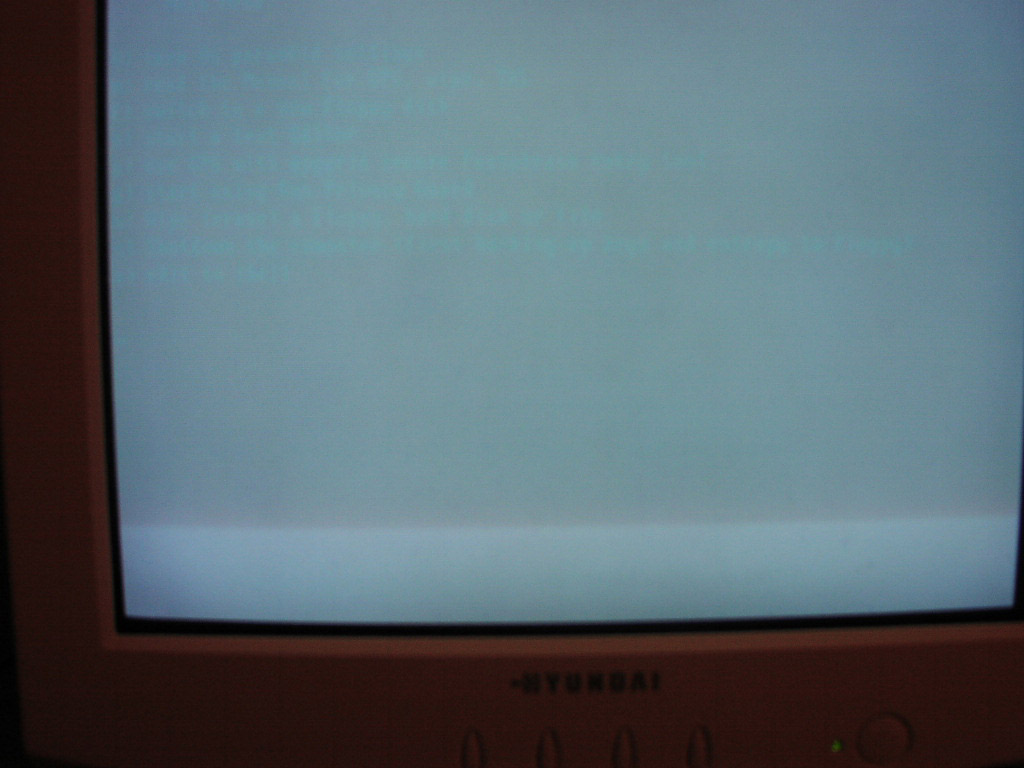
Figure 1.4 : picture on the monitor goes grey - go away spies
+ read the Manual for GPG, wipe, THL
This is self explanatory - you have three options to view whatever manual you are interested in reading on.
+ switch to a new Floppy disk
If you have additional software or files you would like to use. Just to note that you need to start this program every time you want to switch the floppy,
or it won't work.
+ start a text Editor
You can chose between vi and nano editors, which you can use for writing or reading files that are going to be encrypted, or that were just decrypted.
+ use GPG with gpggrid secure Passphrase entry tool
This option lets you use mentioned gpggrid program, which is a secure way for entering your password. Images below show you how it is done.
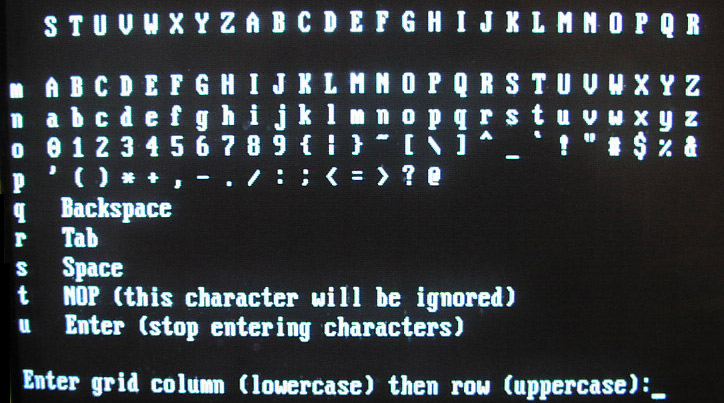
Figure 1.5 : using gpggrid to securely enter your password (note columns and rows)
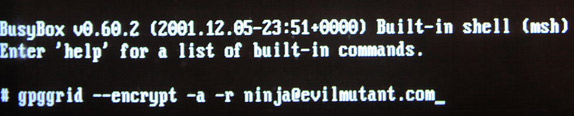
Figure 1.6 : using gpggrid to start encrypting file for ninja@evilmutant.com
Quick note: When you are encrypting a text or file using -o flag (output file), be sure to move the newly created encrypted file from /tmp/ to /mnt/floppy or
when you shut down the system it will be permanently deleted.
+ start using Gnu Privacy Guard
This option drops you in the UNIX shell, so you can use your favorite GPG encryption tool in the manner you use it on your own computer.
+ Wipe (erase) a floppy, hard disk or file
Wipe program securely erases files or hard drives byoverwriting them with many passes of random junk.
Wipe a file - "wipe filename"
Wipe a floppy - "wipe -D /dev/fd0"
+ Shutdown the computer (first backing up keys and entropy to floppy)
When you are shutdowning the sytem, you can chose on of the following options:
1) Don't back it up (obviously doesn't backs up your GPG information)
2) Save it as an encrypted backup file (paran0id option)
3) Save it in the gnupg directory (defaulf option)
+ eXit to shell
No comment ;)
Brief conculsion
TinFoil Hat Linux is a nifty tool that has not many features, but the ones it has are very interesting and useful. The whole idea behind this Linux distribution is pretty innovative, and I hope that further
versions of TinFoil Hat Linux will incorporate additional security and privacy tools.
*********************************************************************************************************************************************
Title: Paranoid 2 - The Revenge of TinFoil Hat ||| By: ninja@evilmutant.com < - > http://evilmutant.com ||| Date: 21.02.2002
*********************************************************************************************************************************************